Showing posts with label technology use. Show all posts

Tuesday, May 23, 2017

BVSD Mobile Maker Kits - Reflection

So I was one of the BETA-testers for the Mobile Maker Kits.  There were many opportunities for learning provided by these kits--including a chance to try out new and different components--yet one of my key findings was the leveraging the power of the classroom teacher for increasing student access.

The Challenge

Upon my first introduction of Maker Kits to the school--I started a Maker Club and held open maker times in the library during lunch.  This brought in interested students, yet I was underwhelmed with total numbers.  I connected with rough forty to fifty students during those initial months and only had twelve to fifteen consistently attending the Makers Club.  A good start but not as large a group as I had initially hoped.

First Steps with the New Components

 I started by just putting out some of the Maker Kits on a table that was viewable from the checkout desk.  Curious students started expirementing with KEVA planks or trying out the Ozobots with no prompting.  This captured a few students.

The Big Question

Then I had a key learning:  In order to capture more students, I had to involve teachers.  The question remained though: How do I engage teachers who already feel stretched in their classroom duties to involve them in making?   


Curiosity drives us to learn.  Curiosity sparks new ideas.  Curiosity is the gateway to trying something new. 

I sparked curiosity by setting out a few OSMO stations before a faculty meeting and had a few teachers try them out.  Then during a Teacher Share Fair organized by our professional development committee.  This was a rotation of teacher led activities or lessons that teachers could attend.  I put out a number of stations for teachers to try.  Minimal instructions and just had teachers explore and play.  Teachers immediately were engaged and started asking questions about the kits and how they could use them.

SCIENCE SUCCESS!!

From this event, I enlisted two 6th grade science teachers that rotated the kits through their roughly 200 students.  After seeing this success I approached 7th Grade Science teachers to see if they would want a day of Makerspace rotation.  I was then able to enlist one day for the entire seventh grade--check another 150 students.  

It was exciting to see the students' faces light up when they walked into their science classes and saw all of the kits spread out for them to try out.  Some students had some experience with some of the kits but at least every one found one they had not seen or used.


The key was this wasn't difficult for myself nor the teachers.  I just had to make sure I had enough stations for students to rotate through--seven or eight and also make sure the components were charged.  I actually brought in a charging strip so I could charge on the fly and also had four ipads ready for the Osmo station--so we could switch them out when they ran out battery life.

I would highly encourage this strategy to any teachers/librarians who would like to get the kits into students' hands.



Friday, September 9, 2016

Library Orientation, QR CODES, Digital Citizenship & G-Mail...Oh My!

So the first few weeks in the library have flown by and it's been fairly busy.  By the end of next week, almost all classes have had some kind of orientation to the library.  See below to see what's been going on in the library...
_________________________________________________________________________________
6th Graders


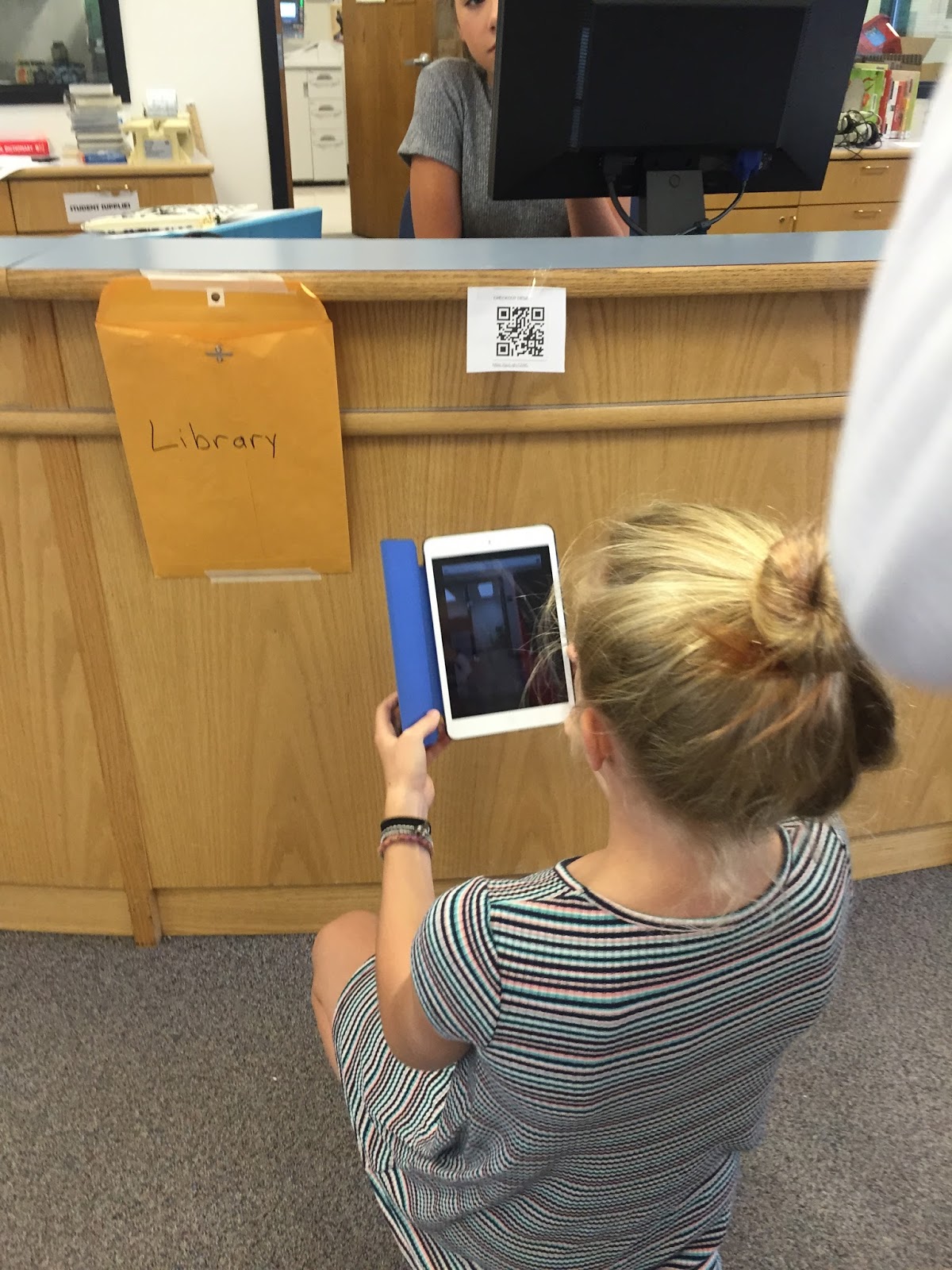
Sixth graders all had two days of orientation.  One day we toured the library using QR Codes.  I made a series of short movies linked to QR codes.  Students then went on a scavenger hunt around the library scanning the codes and watching the movies.  Each student was required to fill out a sheet answering questions about the different places.

The second day we discussed digital citizenship related to the  image below.  All students participated in a discussion related to this image and we shared some great ideas.  I was reassured when discovering most students have discussed this previously in school.  Also, when surveyed, about 50-60% of 6th graders said they used social media--instagram, snapchat, musically--before.


 The rest of the period we instructed students how to create and change their own password, as well as how to log-in to their g-mail accounts.  It's always a steep learning curve, but most students have mastered this by the end of the first semester.
_________________________________________________________________________________
7th & 8th Grade

I visited a number of 7th & 8th grade classes where we focus our discussion around this question:  Why is it important to think before you post something online?  Consider not only now but also your future.  Students pair discussed this and then we held a whole class discussion.  Not surprising, I found that many more 7th and 8th graders are using social media regularly.  They had many insights and through our discussion, we left with a few key points:


  • even when you think something is private (i.e. just between you and your friends) it isn't.
    • Example:  Anyone can take a screenshot of a text/snapchat message/instagram post and then share with whomever they like.
  • sometimes when we post something "for fun" or "as a joke" not all viewers will see it as one
    • Example: Taking a "selfie" with a beer as a joke can be misread as you are actually drinking.
  • employers/organizations/schools often research you online before hiring or admitting you, so represent your best self online.
We also watched a snippet of a video from Flocabulary on the Top Ten Things to Think About Before You Post. (1:07-2:56)


Thanks for reading..and stay tuned for my next post.

Monday, February 8, 2016

Screen Time Part 1

Screen Time: A Rationale for Research

Being a librarian and technology proponent, I recognize the power technology can have in education.  There are amazing things technology can accomplish.  I see how quickly students, and my own children, adopt technology tools .  My nine-year old daughter is a faster typists now than I was at thirteen.  My son can navigate an i-pad or i-phone like it's second nature.  Yet, I struggle just with many other parents do, on wondering how much technology is too much?  
What is the appropriate time allowed on a screen?  I've dabbled in research on times allowed on screens and have found some interesting articles, for example this one from CNN Health, but I always felt I needed to go into more depth.  Luckily on one of my regular family visits to the NO BO CORNER LIBRARY (yes a shameless plug for the Public Library System) I came across a book published in 2015 titled Screen-Smart Parenting by Jodi Gold, MD.  I started reading it and thought it had some great suggestions and ideas on this timely topic.  

I've decided to synthesize some key parts but do recommend, if you have the means, purchasing the book.  Or, you could reserve it from the library.  Mine is due soon.


Research on Home Media Environments

 In a 2013 study, Northwestern Center on Media and Development survey 2,300 parents of children from birth to 8 years of age.  They also surveyed focus groups in California and Illinois.  Some key findings:
  • Children under 8 often use technology with their parents and more likely to use educational games and apps.  
  • At ages 9-10, children become more literate and social.  
The study also identified 3 types of media environments that these parents of young children were creating.  I added the percentage and some descriptors of each below:
  • 39% Media-Centric Parents--love media; spend on average of 11 hours/day.  Tend to keep TV on at home even when no one is watching.  44% have TV in bedroom.  Children spend an average 4.5 hours on screen media.
  • 45% Media-Moderate--parents spend approximately 4.5 hours at home.  Play limited video games, tend to prioritize doing things outside as a family.  Children in media-moderate spend 3 hours per day of screen media.
  • 16% Media Light--spend fewer than 2 hours/day on screen media.  Less likely to use TV to occupy their children.  Children spend and average of 1 hr. 35 min. per day on screen media.

Chart Your Own Media Diet


One of the first steps Dr. Gold suggests is that we assess your own family's technology diet.  Her main point is to understand your children's usage, you must first identify your family's use of technology. She challenges the reader to find out how much media you and your children really use.  She encourages you to try to keep a media diary for each member of your family for 3 days.  If your children are over 8, they could keep their own diary.  In this diary document how much time is spent each day on:
  • TV: real time, delayed and Web-based
  • Computer/tablet: online and offline activities (including homework, but star it)
  • Phone: include voice calls, texts, games and surfing
  • Gaming consoles: handheld and stationary
  • Music is not counted unless listening to while online or gaming
She encourages not to "sweat the details" but instead looking for a general idea on how much time each member of your family spends with technology.

Some tips for keeping an accurate record:
  • Track hourly.  If you can't do three days in a row; pick a few days a week.  Include a weekday and weekend.
  • Send a text, put a note in your phone, or mark a calendar each time you use technology.
  • You can look at phone usage data or use RescueTime for online activities
You may be surprised what you discover.  "Children learn by example.  We all know that if Mom and Dad are texting and checking Facebook throughout dinner, then it is hardly shocking that the kids will follow suit" (Gold 25).  

I plan to chart my own families' media diet and will share the results in a subsequent blog.  I also plan to summarize Chapter 2: The Facts Behind How Technology Affects Your Child's Development.  

Thanks again for reading.